You opened the Webflow Designer, saw the audit panel light up with missing meta descriptions, clicked generate, and now every page has a description you did not write. The question is whether to leave them. That is the problem with Webflow AI SEO features: they are fast, they cost nothing but credits, and the output looks finished.
Three months after Webflow started metering this work, there is enough evidence to be specific. Some of it beats what most small business sites had before, which was nothing. Some is worth overriding immediately. And one repeated claim about a June 2026 Webflow update needs correcting, because the features everyone calls the June update shipped the previous autumn.
Feature by feature: what each does, whether to trust it, and what a person still has to fix.
Key takeaways
- Webflow's AI SEO and AEO tools shipped in late October 2025, not June 2026; what changed on 29 June 2026 is that AI credit limits started being enforced.
- Webflow AI generates meta titles, meta descriptions, alt text and schema markup on any paid Site plan or Workspace.
- The audit does not check alt text on images inside components, lightbox elements or the CMS.
- Webflow's schema field cannot bind Reference, Multi-reference or Multi-image CMS fields, so anything in a referenced collection is a hand written job.
- AEO agents need a Team or Enterprise Platform plan, putting them out of reach of almost every small business site.
What the Webflow AI SEO features actually do
There are two halves. The audit panel finds problems, and Webflow AI offers to fix them. The audit runs on one page or the whole site, flagging four things that matter for search: images with no alt text, pages with no meta title, no meta description, and no schema markup. Accessibility issues sit in the same list, which is sensible bundling because most of them are the same job.
The generation side drafts any of those four from what is on the page. Schema is the new part: there is now a schema markup field in Page Settings, so structured data goes into a proper field rather than a custom code embed the way it did for years. On a Collection page, generation pulls the dynamic fields, so a location item carries its own name, address and image without binding. All of it needs a paid Site plan or Workspace, all of it burns credits, and your role must be above Reviewer.
| Feature | Trust it as shipped? | What to override |
|---|
| Site and page audit | Yes, as a task list | Nothing. Just do not read a clean audit as a verdict on quality |
| Meta titles | Mostly, with an edit | Padding, and any title that buries the service and town behind the brand |
| Meta descriptions | No, not across a set of similar pages | The opening clause of each, so no two pages start the same way |
| Alt text | Yes for minor images | Every image carrying an argument: job photos, the team, before and after |
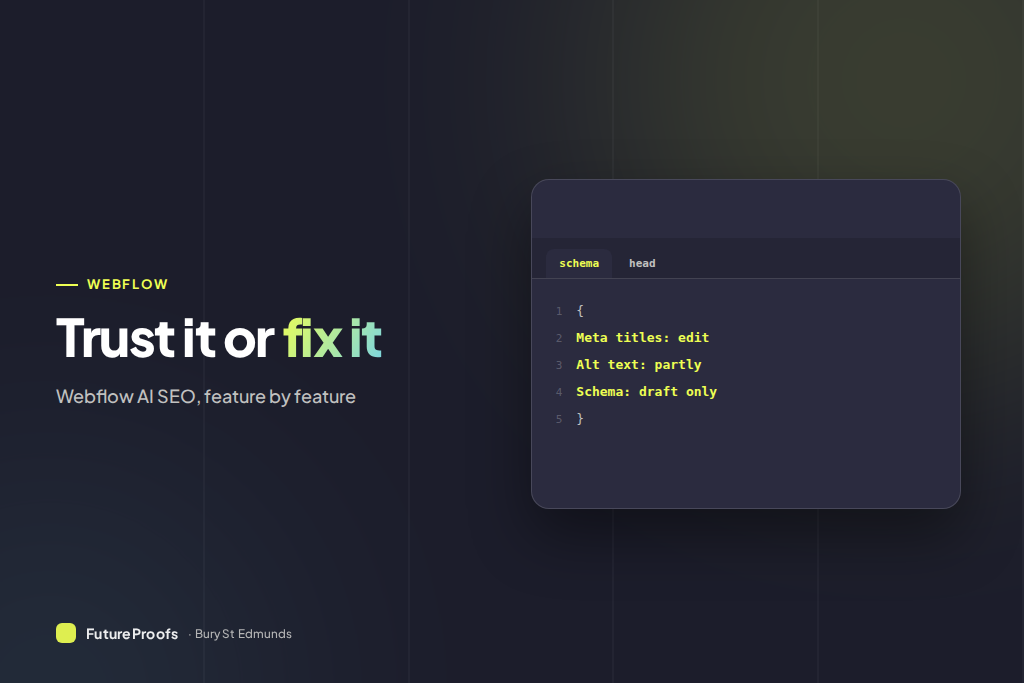
| Schema markup | First draft only | Hours, service area, anything in a referenced collection, and the type it picked |
| AEO agents | Not available to you | Team or Enterprise plans only |
The June 2026 change was billing, not features
This matters because much published advice has the timeline wrong, and if you think the tools are three months old you will be more forgiving than you should be. Webflow announced the AI powered SEO and AEO tools at the end of October 2025. The audit panel, generated alt text, generated metadata and the native schema field have been live on any paid site ever since.
What happened in 2026 was commercial. Webflow reshuffled its plans in May, folding the old CMS and Business site plans into a single Premium plan, and introduced AI credits on 13 May as the unit it measures AI usage in. On 21 May it launched a fuller AEO product for Enterprise. Then on 29 June the new pricing took effect for existing sites and credit limits started being enforced, with pre 2022 accounts given until 16 November. We covered the bill in our write up of what Webflow itself now charges.
What the credit allowance gives you
Credits pool at Workspace level, are shared across every site in it, and expire unused.
- Starter: 200 credits a month.
- Core and Freelancer: 300 a month.
- Growth and Agency: 400 a month.
- Add on packs: 2,000 credits for $25 a month, or $20 billed annually.
The part worth complaining about is the absence of a published rate card. Webflow says complex tasks cost more credits than simple ones and leaves it there, so you cannot tell whether generating schema across a 47 page site costs thirty credits or three hundred. For metadata a few times a year, 300 is plenty. Generate alt text across a whole photo library on Starter and you will find the ceiling.
Should you trust Webflow's AI meta titles and descriptions?
Titles, mostly. Descriptions, not across a set of pages that resemble each other, which is the shape of site we build.
Our whole argument as an agency is that a heating engineer covering Bury St Edmunds, Stowmarket, Thetford and Mildenhall should have a real page for boiler repair in each town, researched and written individually rather than stamped out of a template. Each page then says something different and true. Generate across those four and you get four descriptions of the same grammatical shape with the town swapped. Nobody is penalised for it. It is a wasted asset: four chances to say something, one sentence used four times. The pages behind our web design for Mildenhall businesses are written the other way, one village at a time.
Google rewrites a large share of descriptions anyway, and the ones it leaves alone tend to be concrete. So the rule is blunt: let the AI draft, then rewrite the first eight words of each by hand so no two pages open the same way. A minute a page, and the highest value override here. Titles fail differently. The generator writes to the character limit, so it pads: brand, service, filler, when the useful order is service, town, brand.
Does Webflow add schema markup automatically?
Yes, and it saves more time than anything else here. Webflow AI picks a schema type it thinks fits, drafts the JSON-LD and drops it into the schema field in Page Settings. On a Collection page it pulls the dynamic fields, so a location's name, address, price and image land in the markup unbound. For a sole trader who was never going to write LocalBusiness markup by hand, a real gain.
What it cannot see
It only knows what is on the page. If your opening hours sit in a footer component rather than the body, they may not make it in. It does not know your service radius, your review count, or whether you are a limited company. We have seen generated markup place a business in the wrong town, because the nearest place name in the copy was a village it covers rather than the one it trades from. That error is invisible on the page and very visible to an answer engine.
The reference field problem
This one catches practitioners rather than beginners, and it is barely advertised. The schema field cannot use Reference, Multi-reference or Multi-image Collection fields. So if your service pages reference a Locations collection, or hold accreditations as a multi-reference, none of it reaches your structured data. On a large CMS build, where most of the distinguishing information sits in referenced collections, the useful half of your schema is still hand written, as it was on the 40 plus page Gaulbridge build.
Two rules before you generate
- Empty the field first. Webflow will not generate into a schema field that already has content, and will not tolerate the same schema in both the field and a custom code embed. Older sites almost always have an embed somewhere. Strip it or publish duplicates.
- Validate the output. Webflow does not check its own work. Paste the published URL into Google's Rich Results Test and read the warnings. Two minutes, and the difference between markup that works and markup that merely exists. Our guide to what good structured data contains covers the fields worth filling.
Should I let Webflow write my alt text?
Yes for the long tail, no for images doing real work. A model describes what is in a photograph, not what the photograph is arguing on the page.
Take a photo on a Suffolk electrician's rewire page: a van on a gravel drive outside a period cottage. The generated alt text says a white van parked outside a house. Accurate, useless. The point of the image is that it is your van, at a job you did, on a property type the customer recognises as theirs. Alt text saying the firm's van outside a full rewire on a listed cottage near Lavenham tells a screen reader user what they are missing and puts the words rewire and Lavenham on a page that wants them.
So generate across everything, then rewrite three categories only: job and product photography, before and after pairs, and anything with a person in it. Icons and background textures can keep the generated text or be marked decorative. Empty alt attributes are worse than imperfect ones, and most small business sites are full of them.
What the audit does not check
Images in components, lightboxes and the CMS
The alt text audit skips images inside components, lightbox elements and the CMS, which on a modern Webflow build is most of them. A clean audit does not mean your images have alt text. It means the ones sitting loose on static pages do, so check the Assets panel and your collection items separately. Generation also runs on the primary locale only.
Whether the page deserves to exist
This is the one that matters and no tool will ever do it. The audit is a completeness check: it asks whether the fields are filled, not whether the page was worth publishing. A thin page with a generated title, description, alt text and schema passes clean, and it is still a thin page nobody in Ipswich needed.
What about Webflow's AEO agents?
Short answer: you almost certainly cannot have them, and you are not missing much yet.
Webflow launched AEO to Enterprise customers on 21 May 2026. Technical agents crawl the site and surface prioritised fixes for broken links, outdated metadata and missing schema, with bulk review so a team can accept or dismiss and publish in one go. Content optimisation agents are the interesting half, using tracked prompts and named competitors to find questions where a rival gets cited and you do not.
The gating is strict. AEO agents need a Team or Enterprise Platform plan, the content agents need Enterprise plus the Analyze add on, and since 29 June 2026 they consume credits whenever they run. On Basic or Premium none of it is available, and the technical agent largely repeats the free audit.
While we are here: do not buy an llms.txt file
Webflow has no native llms.txt support and people keep selling one as an AEO service. In June 2026, on Google's Search Off the Record podcast, John Mueller made the obvious point: llms.txt is self reported, so a model cannot use it to tell one site from another, because every site claims to be the best site. He allowed one narrow use, instructing an agent already on your site, which is not the discovery job it gets sold as.
Is Webflow good for SEO in 2026?
Yes, and these tools widen the gap slightly, though not for the reason the marketing suggests. Webflow was already good for search because it outputs clean markup, hosts fast, and needs no plugin stack that wants updating every month and adds a security surface. The schema field and the audit remove two of the last jobs that needed custom code. Set against the alternative in our Webflow and WordPress comparison, the difference is now less about capability than maintenance.
What Webflow still does not do is decide anything. It will not tell a Newmarket clinic which treatments deserve a page of their own, will not tell a Stowmarket builder that loft conversions get searched and orangeries do not, and will not notice that half your enquiries come from a village your copy never mentions. That research decides whether a site ranks, which is why the search work sits inside every plan.
Frequently asked questions
Did Webflow's AI SEO features launch in June 2026?
No. Webflow announced the AI powered SEO and AEO tools at the end of October 2025 and they have been available on paid plans since then. What happened on 29 June 2026 was commercial: the May 2026 site plan pricing took effect for existing sites and AI credit limits began to be enforced. Accounts created in 2022 or earlier have until 16 November 2026.
Does Webflow add schema markup automatically?
It generates a first draft into the schema field in Page Settings, and on Collection pages it pulls in dynamic fields such as name, address, price and image. It is a draft, not a finished job. It cannot use Reference, Multi-reference or Multi-image fields, it does not know your real service area or opening hours, and it does not validate its own output.
Are Webflow's AI meta descriptions good enough to publish?
On a one off page, usually yes. Across a set of similar pages, no. Generating descriptions for several service or town pages produces sentences built to the same shape with one noun swapped, which wastes the strongest thing a description can do. Keep the draft, then rewrite the opening clause of each by hand so no two pages start identically.
Which Webflow plans include the AI SEO features?
Any paid Site plan or paid Workspace, with the Webflow AI toggle enabled and a user role above Reviewer. Every use draws on the Workspace credit pool: 200 a month on Starter, 300 on Core and Freelancer, 400 on Growth and Agency. Extra packs of 2,000 credits cost $25 a month, or $20 billed annually.
How many AI credits does a site audit use?
Webflow does not publish a rate card. It says only that more complex tasks consume more credits, so you cannot budget a large generation run in advance. In practice a small business site refreshing metadata a few times a year will not approach the limit. Generating alt text across a full asset library in one sitting is what exhausts a Starter allowance.
What we would do on your site this week
Run the sitewide audit and treat the output as a jobs list. Generate across everything, because a filled field beats an empty one and the credits are already paid for. Then spend an hour on the four overrides that matter: fix the word order in your titles, rewrite the opening clause of every meta description so your town pages stop sounding identical, rewrite the alt text on your job photography, and check the schema against the truth of the business.
After that, check the Assets panel and your CMS items separately, because the audit did not look there. And glance at the credit balance before a big generation run, not halfway through one.
Webflow has automated the tedious eighty per cent and left the twenty per cent that decides whether you rank. A good trade, as long as somebody does the twenty. If you would rather that somebody was us, tell us what your site is meant to be winning.