Your site is seven years old, the theme has not been touched since the developer who built it stopped replying, and someone has just quoted you three and a half thousand pounds for a rebuild. The first line of the quote is the platform, and the argument is always Webflow vs WordPress. You have no way of knowing whether the answer you were given is right for your business or simply the one that agency happens to be good at.
So, the declaration first. FutureProofs builds on Webflow. Nearly everything we ship, from a village butchery outside Bury St Edmunds to a logistics brand in Peterborough, is a Webflow site. That is a real bias and you should read the rest of this with it in front of you. It is also exactly why the first section below is the one about where WordPress is the better answer, written properly rather than as a token line before the pitch.
This post settles four things: where each platform genuinely wins, what each really costs over three years once maintenance is counted honestly, which one is easier to keep visible in Google and in AI answers, and what a move from WordPress to Webflow actually involves.
Key takeaways
- FutureProofs builds on Webflow, so read this as informed and biased rather than neutral.
- WordPress is the better answer for very large content libraries, plugin-dependent workflows, membership and course sites, and tight budgets where someone in-house can drive it.
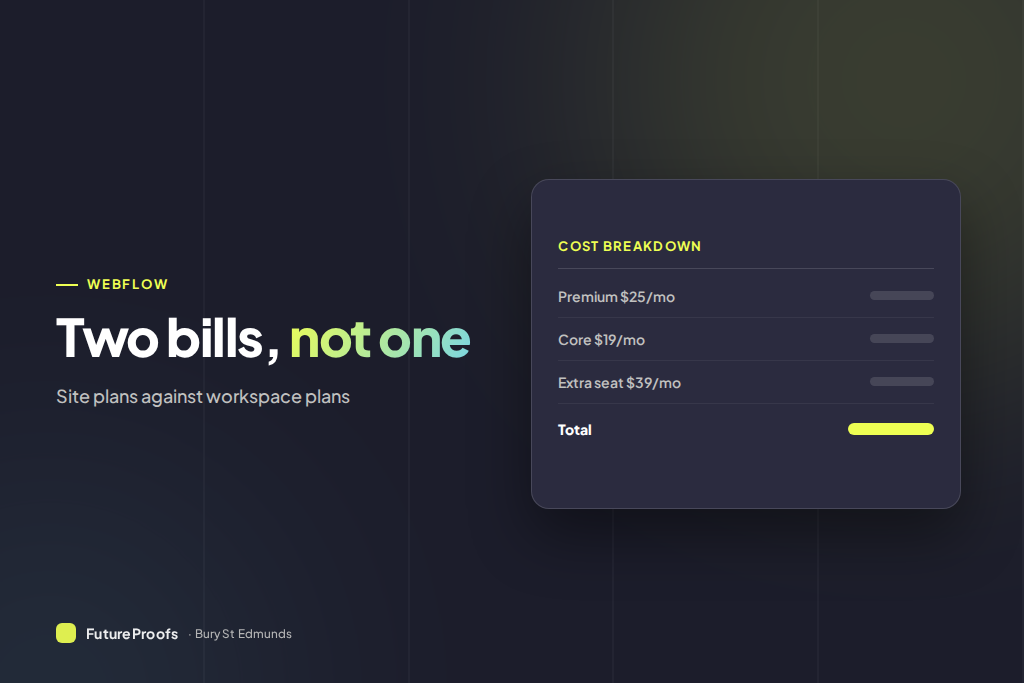
- Webflow charges twice: a site plan per website (Premium is $25 a month billed annually, roughly £20) plus a workspace plan from $19 a month for the account you build in.
- A properly maintained WordPress site for a UK small business typically runs £600 to £1,500 a year in hosting, licences and developer time, which is where the day-one saving goes.
- Migrating a small business site from WordPress to Webflow is mostly content mapping and 301 redirects, and takes about a week once the content is ready.
Where WordPress is genuinely the better answer
Five situations where we would tell you to stay on WordPress, or build on it. We mean all five, and none is unusual.
- You have a large content library already. Two thousand posts with custom fields, categories, authors and an editorial workflow do not want to be rebuilt. Webflow CMS collections cap at 20,000 items on Premium, which sounds ample until you meet a site publishing since 2011 with four content types and a tagging system nobody documented.
- A plugin does something that would otherwise be custom code. Course delivery, tiered memberships, WooCommerce catalogues running thousands of variants, forums, booking with resource logic. Webflow can be pushed into some of that with third-party tools, but you are paying for integrations instead of a plugin, and the seams show.
- Your budget is genuinely tight and someone in-house can drive it. A capable person, a decent managed host and a well chosen theme will produce a perfectly good site for a fraction of an agency build. That is a real answer, not a consolation prize.
- You want a big pool of people who can work on it. There are far more WordPress developers in Ipswich, Norwich and Cambridge than Webflow ones, day rates are lower, and if you fall out with your agency you can hand the site to almost anybody. Webflow talent is smaller and dearer. That is a genuine risk worth pricing.
- Multi-language done properly. WordPress has had mature translation workflows for a decade. Webflow Localize is good and improving, but it is newer, and four languages with different editors is a reason to test before committing.
One test decides most of it. Does someone, in-house or on a retainer, have the website in their job description? If yes, WordPress is entirely viable and the flexibility is worth having. If no, a WordPress site with nobody maintaining it is the single most common thing we get called in to rescue.
What the two platforms actually are, underneath the marketing
WordPress is software you assemble
You install it on a host. Then you add a theme, usually a page builder such as Elementor or Bricks, an SEO plugin, a caching plugin, a security plugin, a backup plugin, a forms plugin, and whatever else the build needs. You own the database and the files, you can move host whenever you like, and you can change any part of the stack. The price of that is that you now own a stack, and every piece of it updates on its own schedule.
Webflow is a platform you rent
You design visually in the browser, Webflow hosts the result on its own infrastructure, and hosting, SSL, image compression, security patching and CDN delivery arrive bundled in the site plan. There is no admin login to brute force and no plugin database to exploit. One login covers design, CMS, hosting and SEO settings instead of the six a WordPress stack tends to accumulate.
The honest cost of that is dependency. You can export a Webflow site, but what comes out is static HTML and CSS, not a working CMS, and if Webflow changes its pricing there is no alternative host to shop for. On WordPress, an unreasonable host is a weekend of work to leave. We think Webflow is a good deal. We still tell every client it is a deal rather than an ownership.
Webflow vs WordPress cost in the UK over three years
Day one favours WordPress and it is not close. Three years in, the gap is much smaller, and the variable that decides it is whether anyone is actually maintaining the WordPress install. These are ranges we see on real small business sites, not list prices.
| Cost line | WordPress | Webflow |
|---|
| Build or rebuild | £1,500 to £5,000 | £1,800 to £5,000, or a monthly plan with no build fee |
| Hosting and platform, per year | £120 to £400 | About £240 for a Premium site plan plus about £180 for a workspace plan |
| Plugin and theme licences, per year | £150 to £500 | £0 |
| Maintenance and fixes, per year | £300 to £900 | £0 to £300 |
| Three-year running cost, build excluded | £1,710 to £5,400 | £1,260 to £2,160 |
Two things in that table deserve attention. The first is that the Webflow platform fee is two charges, not one, and almost no agency quote mentions the second: a site plan for the website, and a workspace plan for the account you build it in, each with its own price. The plan-by-plan guide to Webflow's own fees sets out every tier since the May 2026 change.
The second is the WordPress maintenance line, which is the one people leave out of their own budget and which is not optional. It is either a retainer, someone's Tuesday afternoons, or a bill after something breaks. If you genuinely will not spend it, the real comparison is a neglected WordPress site against a maintained Webflow one, and that has an obvious answer. For what a finished build costs either way, the UK cost breakdown for a Webflow website has the market ranges.
Is Webflow faster than WordPress?
Out of the box, yes. Webflow serves from a global CDN, converts images to WebP, lazy loads by default and ships clean markup, so a new site lands in the high nineties on Lighthouse with nobody having done anything clever. A WordPress site on decent managed hosting, with a caching layer and disciplined image handling, matches those numbers comfortably.
So the difference is not the ceiling, it is the floor and the direction of travel. A Webflow site nobody touches for two years is roughly as fast as the day it launched. A WordPress site nobody touches for two years is slower every quarter, because plugins accumulate and each one brings its own stylesheet and script. Google moved to a composite Core Web Vitals score earlier in 2026, so passing all three thresholds counts for more and failing one costs more. The drift matters more than it used to.
Webflow SEO vs WordPress SEO in 2026
At platform level this is close to a draw and anyone telling you otherwise is selling something. Both handle clean URLs, per-page titles and descriptions, canonical tags, sitemaps, 301 redirects and structured data. Webflow does most of it natively, including JSON-LD schema in page settings and per-item metadata on CMS collections. WordPress does the same through Rank Math or Yoast, which are excellent, and which are also two more things that update.
The gap that matters is friction rather than features. Webflow makes it slightly harder to build a site badly and slightly easier to ship schema correctly on every page, and when you are producing a page for every service in every town, small amounts of friction multiply.
Here is the plain version. Nobody has ever lost a Suffolk ranking because they chose WordPress. They lose rankings because nobody wrote the pages, nobody kept them current, and the site has one thin services page where it needs twelve. That is a content and search strategy problem, and it survives a platform change untouched.
Maintenance, security and who is actually responsible
What goes wrong on WordPress
WordPress powers a huge share of the web, which makes it the most attacked platform on it, mostly through plugins rather than the core software. A serious build needs a security plugin, daily backups and someone patching promptly. We have inherited Suffolk sites quietly compromised for months, injecting links into pages nobody read, where the owner found out from a Search Console warning rather than from anyone they were paying.
What goes wrong on Webflow
Webflow does not get hacked through a plugin, because there are no plugins. It goes wrong differently. Custom code embeds break when someone renames a class. Booking and review integrations stop syncing and nobody notices for weeks. The price is set by one company with no competing host to move to. Smaller and rarer failures than the WordPress ones, but failures, and a site nobody looks at will find them either way. That is the argument for someone owning the upkeep whichever platform you land on.
Should I move from WordPress to Webflow?
If your WordPress site works, ranks and converts, leave it alone. Rebuilding a functioning site on principle is how agencies bill and how owners waste money. Move when something forces the decision: a security incident, a theme that no longer gets updates, a redesign you were going to pay for anyway, a rebrand, or a site that is fighting you every time you want to change a price.
What a migration actually involves
- Content audit and mapping. Every page, post, custom field and image gets a row on a spreadsheet, mapped to where it lands in Webflow. The boring part, and where migrations succeed or fail.
- Design rebuild. Webflow is class-based and component-driven, so a WordPress theme never transfers one for one. This is a rebuild in the shape of your site, not a copy of it.
- Redirects. Every old URL gets a 301 to its new address. Miss this and you throw away years of rankings in a fortnight. Highest risk step, and the one cheap quotes skip.
- Forms, tracking and integrations. Contact forms, analytics, review widgets, CRM connections and any booking tool get rewired and tested before launch, not after.
- DNS and go live. Then a fortnight watching Search Console for 404s, because something always slips through.
What breaks, and what a move costs
Anything driven by PHP is gone. Membership tiers, LMS courses, comment threads and multi-author editorial workflows either need a third-party tool or do not come across. If a plugin is doing something structural, price replacing it before you agree the move, not after.
For a normal service business site of ten to forty pages, the move is about a week of work once your content is ready, and it sits inside a website plan rather than arriving as a separate migration invoice. The Cambridge Fireplaces rebuild is a fair example of a site moved off an older platform and then grown, and the Gaulbridge build shows what forty-plus pages looks like when the structure is planned rather than inherited. Firms weighing the same move near Cambridge can see how the plan works on our page for web design in Cambridge.
Frequently asked questions
Is Webflow better than WordPress?
For a small service business with nobody in-house looking after the website, yes, Webflow is usually the better fit. It is faster with no effort, needs no plugin maintenance, and cannot be broken by an automatic update at three in the morning. For large content libraries, plugin-dependent features or a business with its own developer, WordPress remains the stronger choice.
Is Webflow cheaper than WordPress?
Not on day one, and often yes over three years. WordPress starts cheaper on hosting and free plugins, then adds licences, security tooling and developer time. Webflow bundles hosting, security and CDN into one platform fee with no plugin sprawl. If you would genuinely maintain the WordPress site properly, the three-year totals land close together.
Is WordPress still good in 2026?
Yes, and the claim that it is dying is nonsense sold by people with something else to sell. WordPress runs a large share of the web, the block editor has improved considerably, and the plugin ecosystem still does things no closed platform matches. Its weakness is not capability, it is that it needs an owner and most small businesses never appoint one.
Will I lose my Google rankings if I move from WordPress to Webflow?
Only if the redirects are done badly. Map every old URL to a new one with a 301, keep your page titles and headings broadly intact, resubmit the sitemap, then watch Search Console for a month. Done properly, most sites see a brief wobble of a week or two and recover. Done carelessly, the losses are permanent.
Can I take my Webflow site with me if I leave?
Partly, and you should understand the limit before you commit. Webflow exports static HTML, CSS and assets, which you can host anywhere, but the CMS and the editing experience do not come with it. If we build your site and you later want it in your own hands, we transfer the project into your own Webflow account so you keep everything working.
How long does a WordPress to Webflow migration take?
About a week for a typical small business site once your content, images and logins are with us, longer if there is a large blog archive or an ecommerce catalogue to move. The build is rarely the bottleneck. Waiting on copy, photography and product data from your side is what stretches a one week job into a month.
How to make this decision this week
Open your current site on a phone, on mobile data, standing outside your own premises. Time it. Then try to change a price on a service page yourself, without asking anybody. Those two exercises tell you more about whether your platform is working than any comparison article, this one included.
Then answer the ownership question honestly. If nobody has the website in their job description and there is no budget for a retainer, choose the platform that survives neglect, and Webflow survives neglect better. If you have the skill or the budget in-house, WordPress gives you more room and a far larger pool of people who can help. Both answers are defensible. Only one matches your situation.
If you want a straight steer rather than a sales call, send us your current site address and what frustrates you about it. Our website plans set out what is included, and the pricing is published rather than quoted.