Your rankings look the same as last year. Your enquiries do not. That gap has been the most common conversation we have had with owners across Suffolk and Cambridgeshire this year, and until recently there was no way to prove what was causing it, only industry averages and a shrug.
There is now. The Search Console AI performance report shows how often your pages appear inside Google's AI answers, separated from ordinary search. It arrived for a slice of UK sites in June 2026 and finished rolling out worldwide on 31 August 2026, so if you have a Search Console account you have it, wherever you are.
What follows is where to find it, what it does and does not tell you (there are no clicks in it, which changes how you read everything), how to reason about AI visibility without click data, whether to touch the opt-out toggle, and a monthly routine that takes about fifteen minutes.
Key takeaways
- The generative AI performance report reports impressions only, broken down by page, country, device and date, with no clicks and no query data.
- It covers AI Overviews and AI Mode in Google Search, and sits as an expandable section under the main Performance report in Search Console.
- Google completed the global rollout on 31 August 2026, after an initial UK-first release in June, so the report is no longer a British exclusive.
- Google has confirmed that opting out of generative AI features is not a ranking signal for normal web search, but sites that opt out receive no impressions or traffic from those features.
- Between 92 and 94 per cent of AI Mode sessions end without a click, so flat clicks against rising AI impressions is the expected pattern, not a fault.
Where the Search Console AI performance report sits, and what it covers
Open Search Console, go to Performance, and look for the generative AI section under the main search results report. It covers two surfaces: AI Overviews, the summary block that sits above the blue links, and AI Mode, the conversational tab. Search Labs experiments are excluded, so nothing in there is coming from a test group.
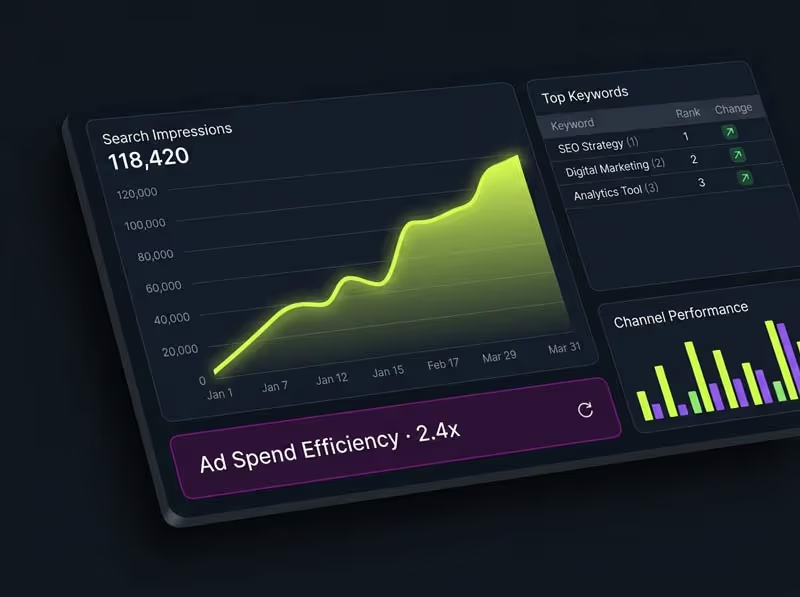
An impression means a link to your site was shown inside one of those AI features. It does not mean the customer read your name, and it certainly does not mean they clicked. It means you were in the answer, which is the thing that was invisible until this year.
What counts as an AI impression, and what does not
Worth being precise, because the number is easy to misread as visits.
- Counted. A link to one of your pages shown inside an AI Overview or an AI Mode answer on Google Search.
- Counted separately each time. Follow-up questions in an AI Mode conversation are treated as new queries, so one long conversation can produce several impressions.
- Not counted. Your business being named in the text of an answer without a link to your site, which happens often on local queries.
- Not counted. Appearances in Search Labs experiments, in Gemini, or in ChatGPT, Perplexity and Copilot, none of which report to Google.
- Not distinguished. AI Overviews and AI Mode are combined into one figure with no way to split them.
That third point matters for a Suffolk trade more than most. A great deal of local AI visibility is a mention with no link attached, particularly where the answer leans on your Google Business Profile rather than your website, and none of that shows up here. Treat the report as a floor on your AI visibility, not a ceiling.
What the report gives you, and what it withholds
This is where most write-ups gloss over the important part, so here it is plainly.
| You get | You do not get | What to do about it |
|---|
| Impressions in AI features | Clicks or click-through rate | Track total organic sessions and enquiries separately, and watch the direction of travel |
| The pages being shown | The queries that triggered them | Infer intent from the page, and confirm by asking the question yourself |
| Countries and devices | Towns or postcodes | Use your Google Business Profile insights for anything sub-national |
| Daily, weekly and monthly trends | Any split between AI Overviews and AI Mode | Treat the number as one combined AI visibility figure |
The missing click data is not an oversight you can work around with a clever filter. Plan your reporting on the assumption that AI visibility is a leading indicator, and that revenue proof still comes from enquiries, calls and bookings.
How do I see AI search traffic without click data?
You triangulate. Three numbers, read together each month, will tell you more than any single dashboard.
Impressions in the AI report
The direction matters more than the value. Rising impressions on a service page means Google is increasingly willing to put you in answers on that topic. Falling impressions on a page that used to feature is worth a look at what changed there, or at whether a competitor published something better.
Clicks in the main Performance report
Impressions up and clicks flat is the normal shape of 2026, not a failure. Between 92 and 94 per cent of AI Mode sessions end with no click at all, against 34 to 43 per cent on classic results. Ahrefs measured position-one click-through falling 58 per cent on queries that show an AI Overview. Fewer clicks per impression is the weather now.
Enquiries you can count
Calls, form fills, bookings, walk-ins that mention finding you online. If AI impressions climb and enquiries hold steady while total clicks drop, you are winning: fewer people are arriving, and more of the ones who do have already made up their minds. If AI impressions climb and enquiries fall, the answer is naming you but the page it sends people to is not closing them.
For the wider context on how often these answers appear at all, the UK data on AI Overview prevalence gives you the benchmark to compare your own trend against. If you want the mechanics of what those impressions represent, the explainer on how AI Overviews choose sources covers it.
Should I block Google AI from my site?
Alongside the report Google shipped a control letting a site owner opt out of having its content used in generative AI features, as a cited link or as grounding material, honoured from 17 June 2026. The question lands in our inbox most weeks, usually from someone who has read that AI is stealing their traffic.
For a small business the answer is no, and it is now a cleaner call than it was. Google has confirmed the opt-out is not a ranking signal for normal web search, which removes the fear that used to make this complicated. It also confirmed that sites which opt out receive no traffic or impressions from those features. So the trade is simple: you give up every AI appearance and get nothing back in ordinary search.
Opting out can make sense for a publisher whose entire income is advertising served against its own articles, where a summary genuinely substitutes for the visit. A butcher near Bury St Edmunds is in the opposite position. Being named in the answer is how a customer learns you exist. There is nothing to protect by hiding.
One practical warning. The control is easy to find and easy to flip, and we have seen it turned on by someone tidying settings who assumed it was a privacy option. If several people have access to your Search Console, check its state before you spend a fortnight diagnosing a visibility drop that no amount of search work across Suffolk will fix.
A fifteen minute monthly routine
Same day each month, in this order. Keep it in a spreadsheet with one row per month, because the value is entirely in the trend.
- Record four numbers. AI impressions, total organic clicks, total organic impressions, and enquiries from all sources.
- Note the top five pages in the AI report, and whether the list has changed since last month.
- Check the country split and confirm the bulk is the UK. A sudden foreign spike usually means a page is being read for something you do not sell.
- Ask three real customer questions in AI Mode with your location set, and write down who gets named. This is your only source of query-level truth.
- Open the Pages report and confirm your money pages are still indexed. An unindexed page cannot be cited, which is why the indexing report deserves the same monthly glance.
- Write one sentence on what changed and what you will do about it. If you cannot, nothing meaningful changed.
Six months of that beats any agency dashboard, because you built the baseline yourself and you know what was going on in the business each month. Reporting like this is part of the search work included in every plan rather than a separate retainer, but the routine works just as well if you run it yourself.
What to do when the numbers look wrong
AI impressions are near zero
Usually the pages are too thin or too vague to be worth quoting. Google is not withholding you out of spite, it has nothing to lift. Add real prices, real timescales and real service areas in plain text, and give each customer question its own heading. Confirm the pages are indexed before assuming anything else. Specific, plainly written pages are what we build for SEO in King's Lynn and every other town we cover.
Impressions are high, enquiries are not
You are being cited on the wrong things. Check which pages the report lists. If it is all blog posts and no service pages, you are earning visibility for questions that never end in a purchase. The fix is writing about the decisions people make just before they buy, not the trivia they look up months earlier.
Everything dropped at once
Check indexing first, then check whether anyone in your business touched the opt-out toggle, a robots file or a site migration in that window. Genuine algorithmic drops rarely take every page on the same day. Self-inflicted ones almost always do.
Frequently asked questions
What is the Search Console AI performance report?
It is a section of Google Search Console showing how often your pages appeared inside AI Overviews and AI Mode on Google Search. It reports impressions broken down by page, country, device and date. It became available worldwide on 31 August 2026, having launched to some UK sites first in June 2026.
Does the report show clicks from AI Overviews?
No. The generative AI report carries impressions only, with no clicks, no click-through rate and no query data. That is a deliberate limitation rather than a bug, so build your reporting around impressions as a visibility trend and measure commercial outcomes through enquiries, calls and bookings instead.
How much traffic am I getting from AI Overviews?
Google will not tell you, and no tool can calculate it precisely from this report. What you can do is watch AI impressions against total organic clicks over several months. Rising impressions with flat clicks is the ordinary pattern in 2026, because the great majority of AI sessions end without anyone clicking through.
Will opting out of AI features protect my rankings?
No. Google has confirmed the generative AI control is not a ranking signal for normal web search, so opting out neither helps nor harms your ordinary positions. It simply removes you from AI answers, which for a local business means losing visibility on a surface where customers are increasingly making their shortlist.
Why did the UK get this report first?
The initial June 2026 release went to a subset of UK sites, connected to regulatory pressure from the Competition and Markets Authority for site owners to control how their content is used. That advantage has gone. The global rollout completed on 31 August 2026, so British businesses now see the same report as everyone else.
Do I need any extra tools to measure AI visibility?
Not to start. Search Console plus your own enquiry count covers the basics, and manually asking your top customer questions in AI Mode each month fills the query gap for free. Paid AI visibility trackers are worth considering once you are spending real money on content and need to attribute it properly.
What the number is actually for
The temptation with a new metric is to manage it. Resist that. AI impressions are a symptom, not a target. They rise because your pages became clearer and more specific, and they fall because someone else's did.
What the report genuinely changed is the argument. For two years an owner watching enquiries soften while rankings held could only be told this is happening to everyone. Now there is a line on a chart showing your pages inside answers you never got credit for, and a rough sense of how much of your visibility has quietly moved somewhere clicks do not exist.
Pull the four numbers this week and start the spreadsheet. If reading them each month is one job too many, a conversation about what your numbers are actually saying is the shortcut, and what monthly reporting includes is set out on the pricing page.